
Not all employees can be paid the same, irrespective of their performance. This is a common idea in every organization and is therefore relevant to the iGaming affiliate marketing sector. Affiliate performance varies significantly from one partner to another.
This makes it harder for operators to structure payout programs around clear performance outset. They may want to increase payouts for the affiliate who delivers more qualifying conversions while keeping the payout structure predictable and easy to manage.
This is where the tier wise payouts feature comes into play.
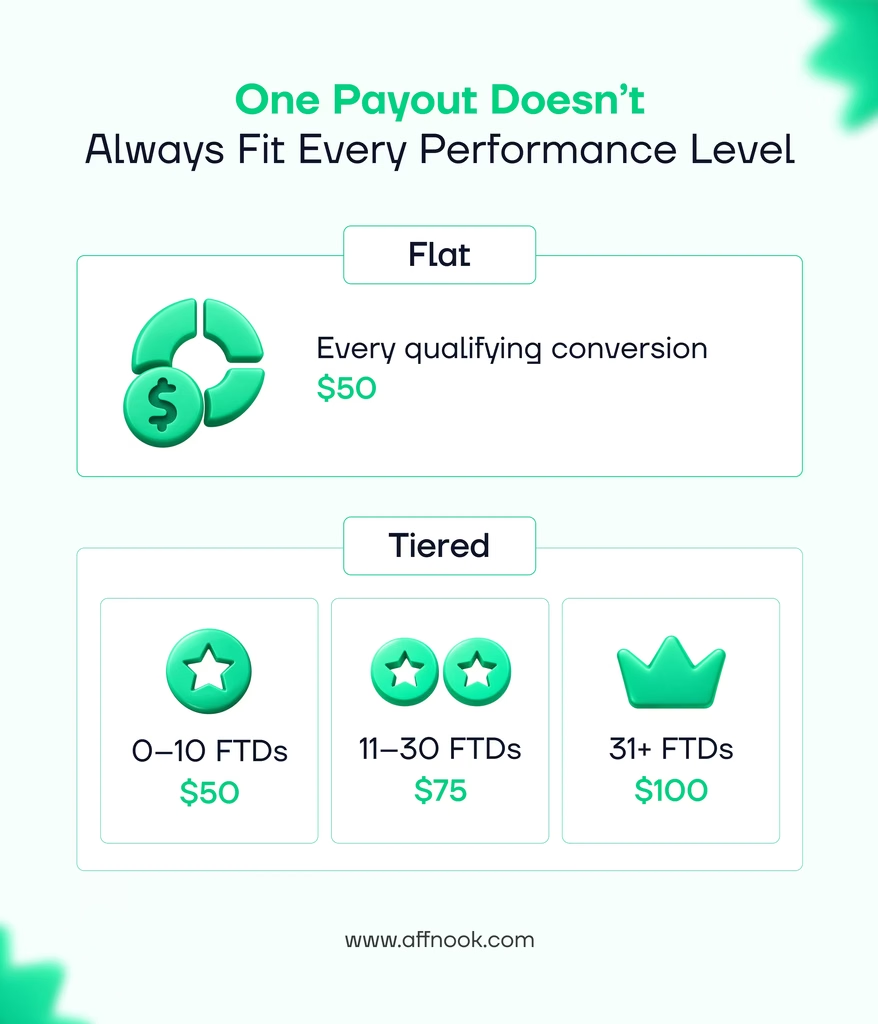
With tier wise payouts feature, operators can configure different CPA payout amounts based on predefined performance thresholds. Instead of using one payout value across the entire campaign, operators can create multiple tiers and assign a fixed payout to the conversions that fall within each tier.
Build a Payout Structure Around Performance
Tier wise payout feature brings with it a tier builder for CPA campaigns, allowing operators to define the performance ranges and payout values that make up their payout structure.
For the current release, tier qualification is based on count metrics –
- FTD Count
- Registration Count
- Deposit Count
Operators can create around two to six tiers where the first tier starts at zero and the final tier remains open-ended. The tier builder also validates the configuration as it happens, which prevents gaps, overlaps, invalid thresholds or payout values that cannot be saved.
This means the payout structure can be reviewed and validated as it gets configured instead of discovering configuration problems later.
Choose How the Performance Accumulates
Not every affiliate program measures performance over the same period. Tier-Wise Payouts lets operators choose a reset period for tier accumulation:
- Weekly
- Monthly
- Quarterly
- Lifetime
The selected reset period determines the window in which the affiliate’s performance accumulates toward a tier.
For instance, with the monthly reset period, an affiliate’s qualifying amount gets accumulated within the active monthly period before resetting for the next one. With lifetime, performance continues accumulating from the campaign start without resetting.
This gives operators flexibility to structure tiers according to how their affiliate programs are managed.
Apply Payouts Using Slab Calculation
One of the most core parts of tier wise payouts is that the payout is calculated once an affiliate moves through multiple tiers.
The feature utilizes slab-based calculation. This means each affiliate payout amount applies only to the performance that falls within its corresponding tier. Moving into a higher tier does not change the payout value of conversions that were already counted in lower tiers.
For example, an operator could set it up as follows:
| Tier | FTD Count | Payout |
| Tier 1 | 0–10 | $50 |
| Tier 2 | 11–30 | $75 |
| Tier 3 | 31+ | $100 |
If an affiliate generates 18 FTDs during the applicable period, the payout would be calculated as:
10 × $50 + 8 × $75 = $1,100
This makes the calculation visible and predictable, while allowing the payout structure to scale with affiliate performance.
Keep Tier Qualification Separate From Invoice Periods
Tier qualification and invoicing serve different purposes.
- Reset period – Determines how performance accumulates to establish the affiliate’s tier.
- Invoice period – Determines the activity included in the invoice.
So, if an affiliate has already accumulated enough performance to reach a higher tier, generating an invoice part-way through the period does not automatically restart the calculation from Tier 1.
The invoice uses the affiliate’s cumulative tier position while billing only the activity that falls within the selected invoice date range.
For tiered payouts, invoices also show the calculation as separate tier line items, including the tier range, volume, rate, and subtotal.
This makes it easier for finance teams to see how the final invoice amount was reached.
See What Changed and When
Payout configurations can change over time, and those changes can affect how future activity is calculated.
To ensure that these changes are easier to track, tier wise payouts include a “view change timeline” in the “edit payout” section.
The read-only timeline records payout-impacting changes such as –
- Switching between flat and tiered structures
- Changing the tier metric
- Changing the reset period
- Adding or removing tiers
- Changing tier ranges
- Changing tier payout values
- Changing coverage
Each entry includes the user who made the change, the timestamp, what changed, and the previous and new values.
This provides a clear before-and-after record of the payout configuration.
A More Structured Way to Manage Performance-Based Payouts
Affnook’s tier wise payouts give operators a structured way to move beyond a single fixed CPA value and configure payouts around measurable affiliate performance.
With a tier builder, count-based performance metrics, reset periods, slab-based calculations, tier-level invoice breakdowns, and payout change history, the feature brings configuration, calculation, and billing into the same workflow.