Whether you’re getting into iGaming affiliate marketing for the very first time, or launching a new affiliate program, the first question to ask is: how do I set up affiliate links?
And it is totally valid. These links form the back bone of the entire channel, enabling from tracking to accurate attribution across publishers. Check performance, measure clicks and automate invoicing for accurate payouts — it’s all possible through affiliate links.
In this guide, we’ll break down everything you need to know about setting up affiliate tracking links, customizing them and using advanced features to optimize your campaigns.
What is an Affiliate Tracking Link?
A tracking link is the de-facto instrument through which the entire attribution process works on affiliate marketing software like Affnook.
It is generated within a given campaign — for a specific affiliate or groups of them — and contains an assortment of embedded information that enables the platform to collect information about the user.
All the collected information, i.e. user activity is used to tie back actions like clicks, conversions and impressions to a specific affiliate marketing publisher.
When a visitor clicks on this link, a unique tracking token is created. This ensures that every action taken by the user can be assigned to the contributing affiliate, making reporting and final commission calculations seamless.
The best part? The affiliate attribution links are usually generated automatically once you select a publisher within your Affnookcampaign dashboard (either while creating it, or after the fact).
How Do I Set Up Affiliate Links?
On the Affnook panel, the process of setting up a tracking link for specific affiliate marketers is a straightforward one. To understand how to go about actually doing it, here’s a step-by-step breakdown:
Locate Your Campaign
Under the ‘Manage’ section of your platform dashboard, you will be able to see a list of the campaigns that have been created. Locate the specific campaign for which you want to create an affiliate link for a given publisher.
Get to Tracking Link Section
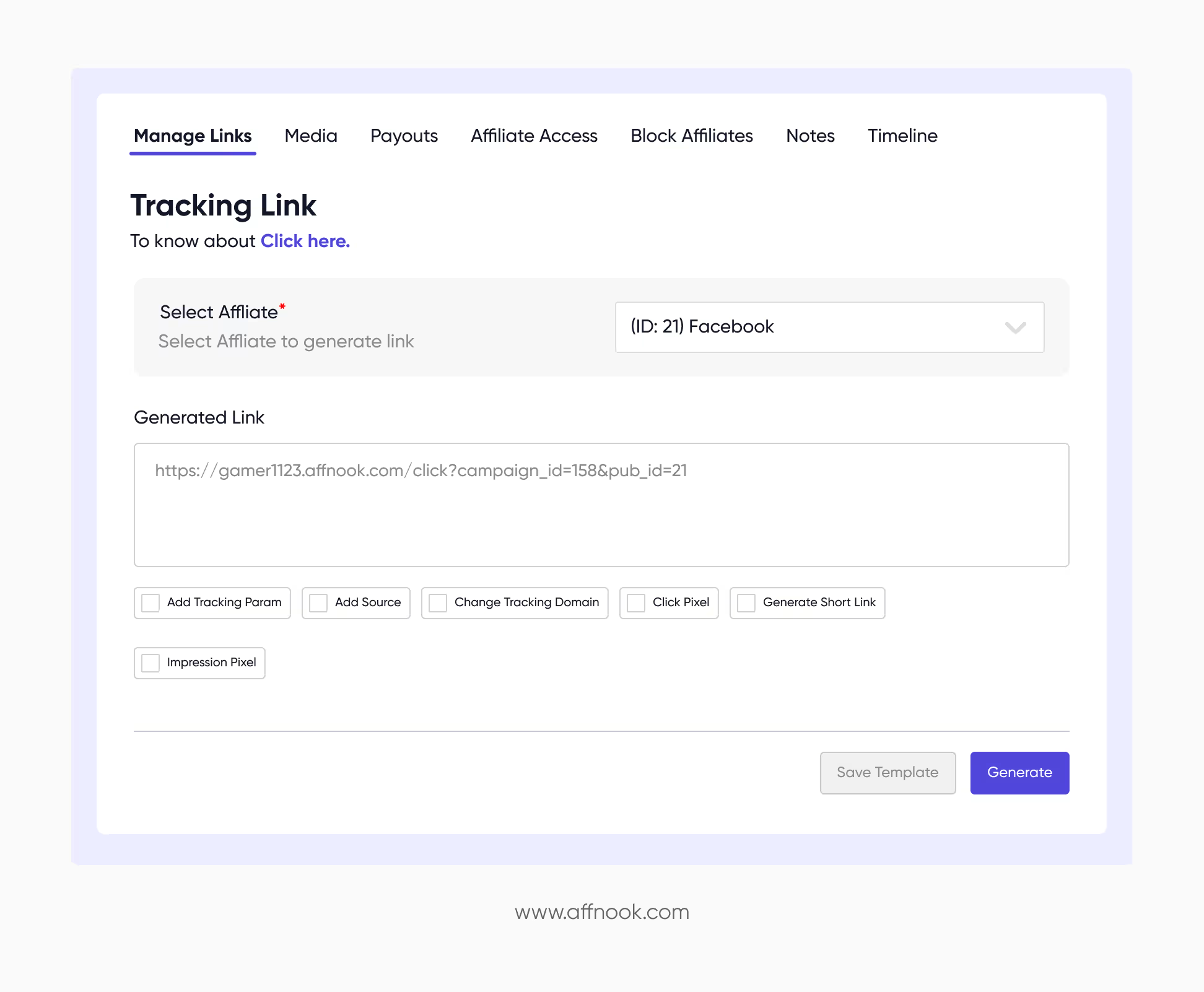
When you open the campaign you’re generating the link for, on the right side you’ll find the section which answers your question of: how do I set up affiliate links.
Choose Your Affiliate Marketer
A drop down menu will be visible to you on the panel. From this menu, choose the partners, influencers or affiliates for whom you’re trying to create the link.
Generate the Link
Once selected, the system will automatically create a tracking link. You can now copy and share this link with your affiliate.
Customizing Your Affiliate Links
Once you have solved the mystery of “how do I set up affiliate links”, you may arrive at the query of “how do I customize affiliate links”. There are a variety of use cases for which unique tracking links are required.
Let’s take a look at some of them.
Add Tracking Parameters
Add more tracking-related definition to your links by using parameters. Through this method, additional information can be captured, such as traffic sources, time and date, browser used and so on.
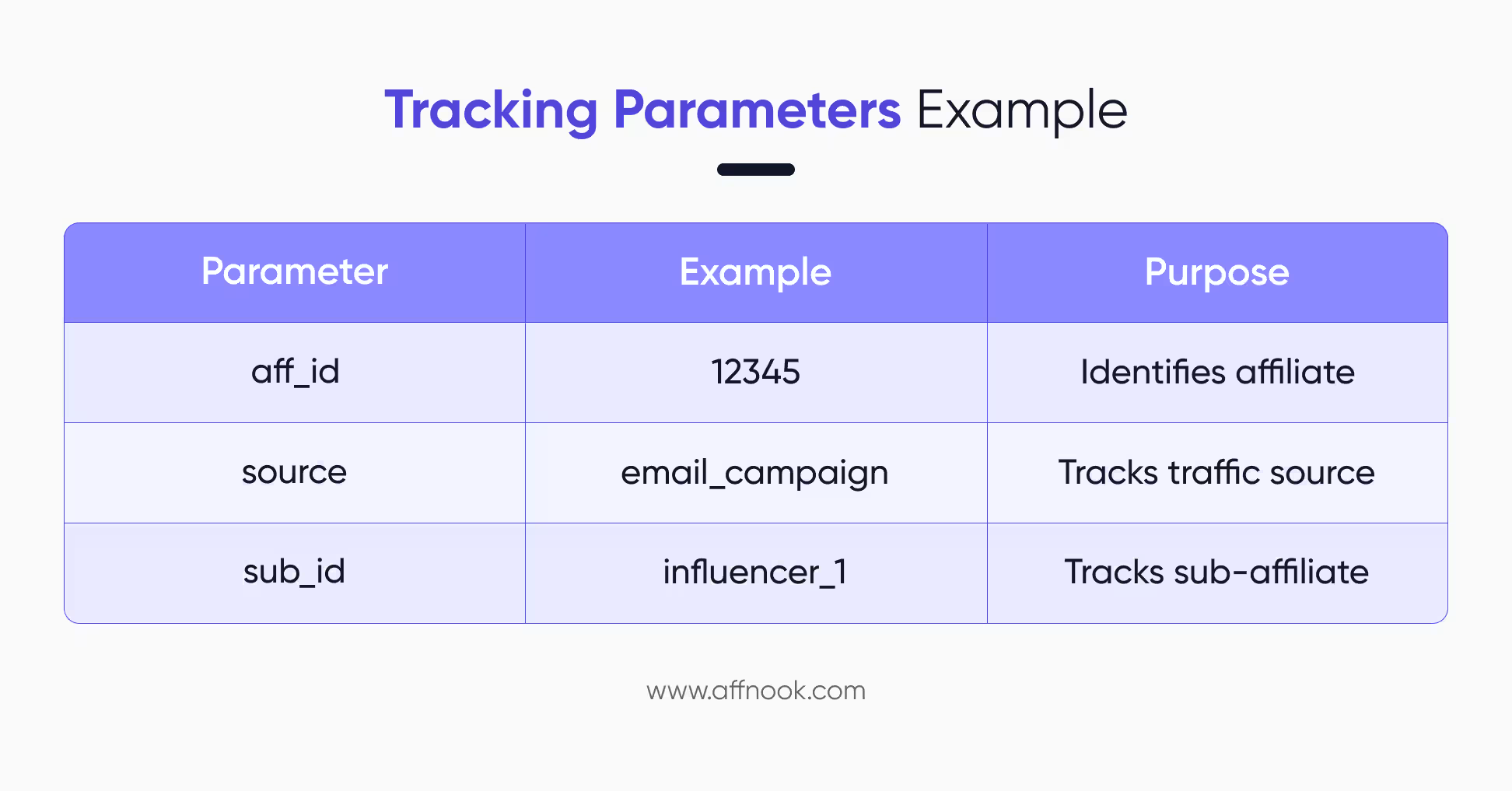
Add Source (Sub-Affiliate)
This option adds a “source” parameter to your link. It enables affiliates to pass sub-affiliate information, giving you deeper insights into traffic origins.
To ensure the links are tracking correctly, you can always run the affiliate postback test on a given link before sharing it with the partner.
Change Tracking Domain
As a user, you have the option of using branded and unbranded domains for your campaigns, depending on the end goal. Simply select the option to change your tracking domain and choose the one that fits your campaign.
Advanced Tracking Features
The next level of consideration after “how do I set up affiliate links” should be “how can I extend tracking” beyond the link itself. To fully optimize your affiliate campaigns, you can take advantage of several advanced tools, available on the Affnook platform.
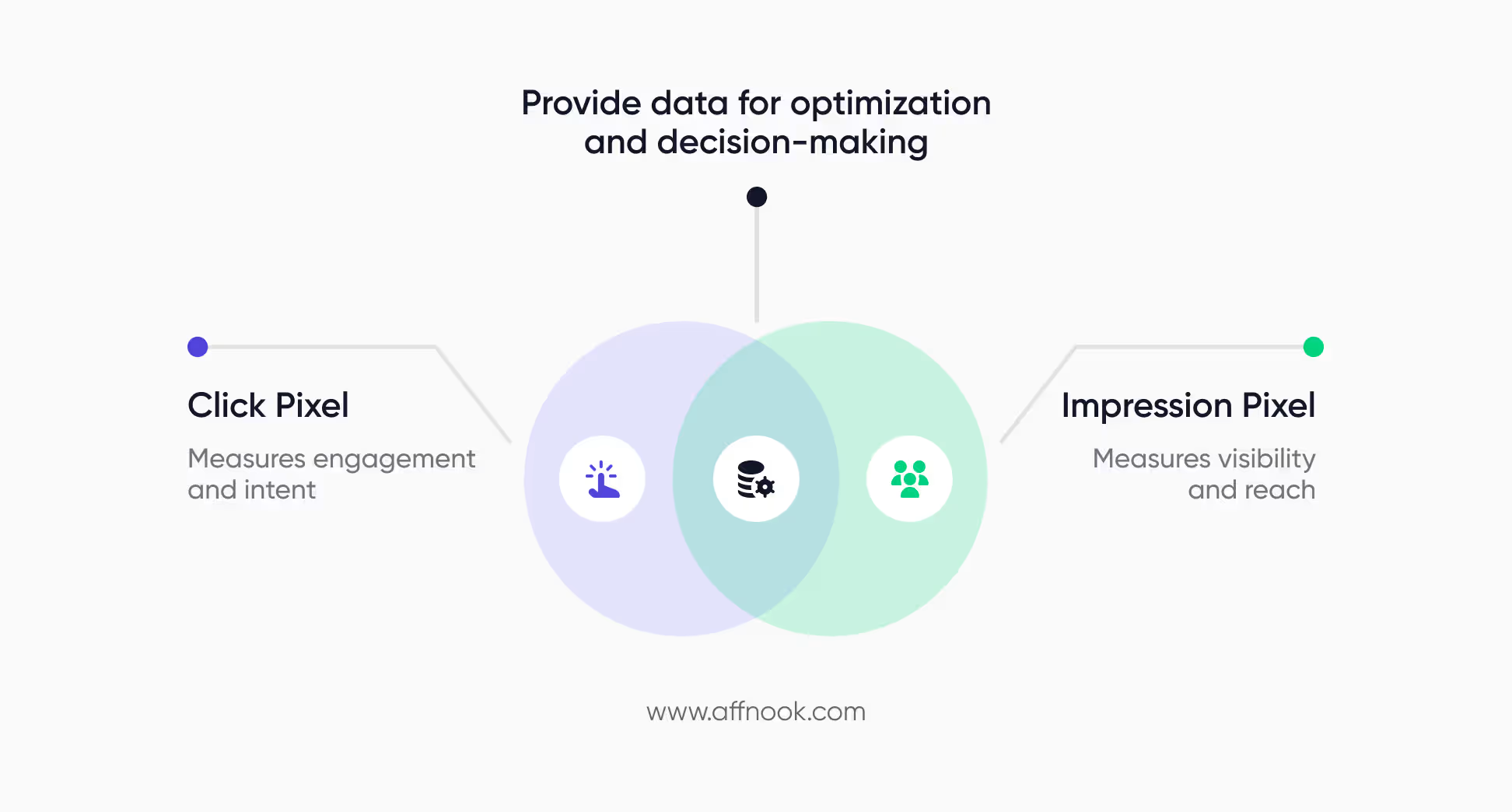
Click Pixel
This is a small piece of code that is added onto the link or display ad creative, which tracks every user click or interaction. Click pixels are useful for measuring engagement within the given campaign.
Impression Pixel
An impression pixel tracks how many times your ad or content is displayed to users. This helps you understand visibility and reach.
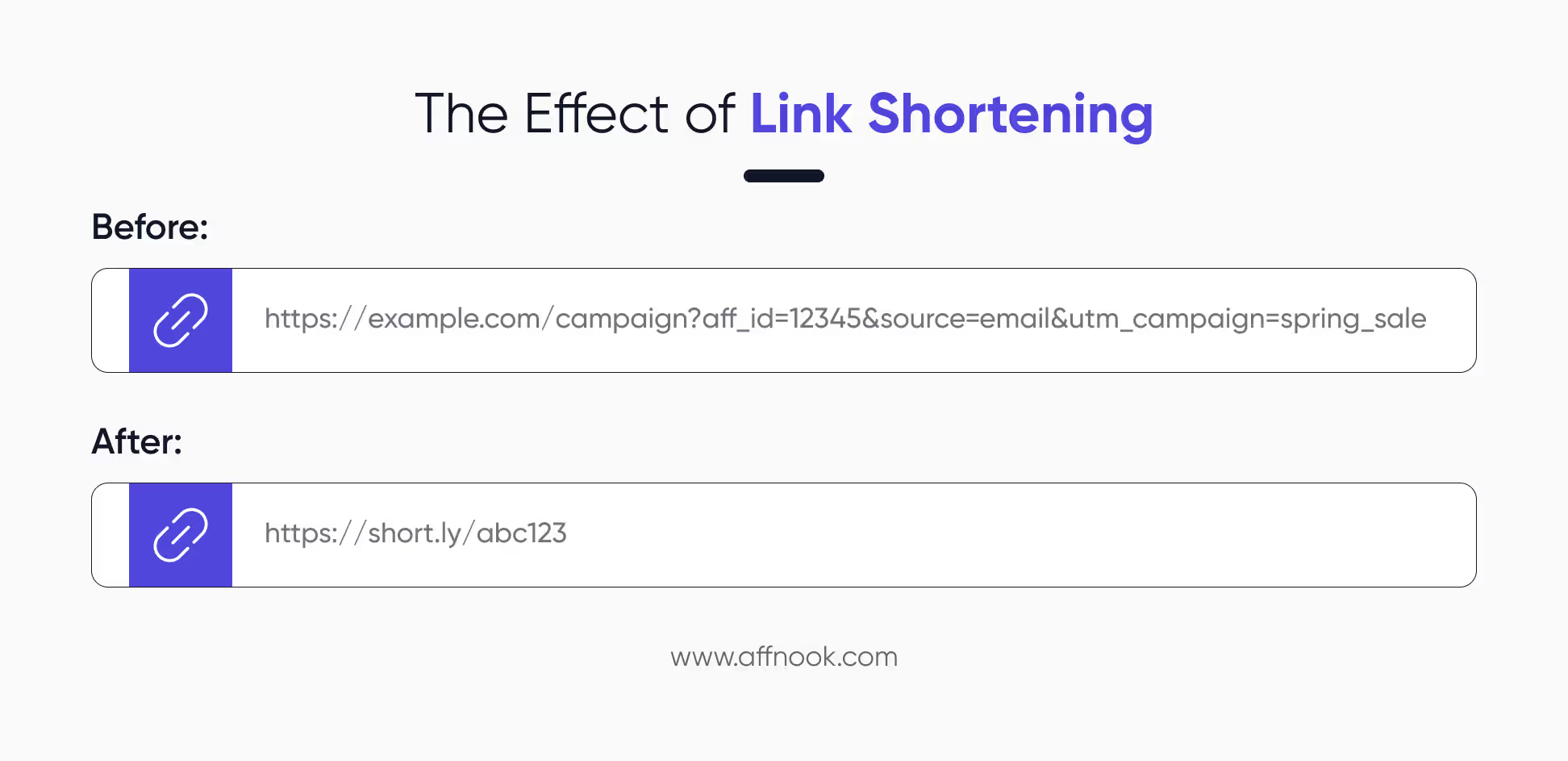
The Ability to Generate Short Links
Usually, when a link is too lengthy and seems to have too much information, it gives the appearance of being sketchy, which may discourage users from clicking on it. This can happen when too many parameters are tacked onto the end of the affiliate tracking URL.
To avoid this problem, a short link can be created, which is cleaner and more user friendly.
Scanner or QR Code
On some platforms, there is an option to scan a QR code which redirects to the link. This enables access through mobile phones, which is helpful for offline iGaming marketing and promotions.
Summing Up
Wondering how do I set up affiliate links? Well, it all comes down to knowing the set up process, customization options and leveraging of advanced tools for better tracking.
By following the steps outlined in this guide, you’ll not only set up affiliate links correctly but also ensure they deliver meaningful insights and results for your operation, brand or affiliate network-run affiliate marketing programs.