Running an online gambling iGaming affiliate program means doing more than just monitoring clicks and conversions. Affiliate managers must be able to understand which media placements, creatives, and traffic sources bring quality customers and profits to ensure sustained iGaming business growth strategies.
When multiple campaigns, affiliates, brands, and promotion channels are involved, figuring out the best-performing media can be challenging without proper reporting.
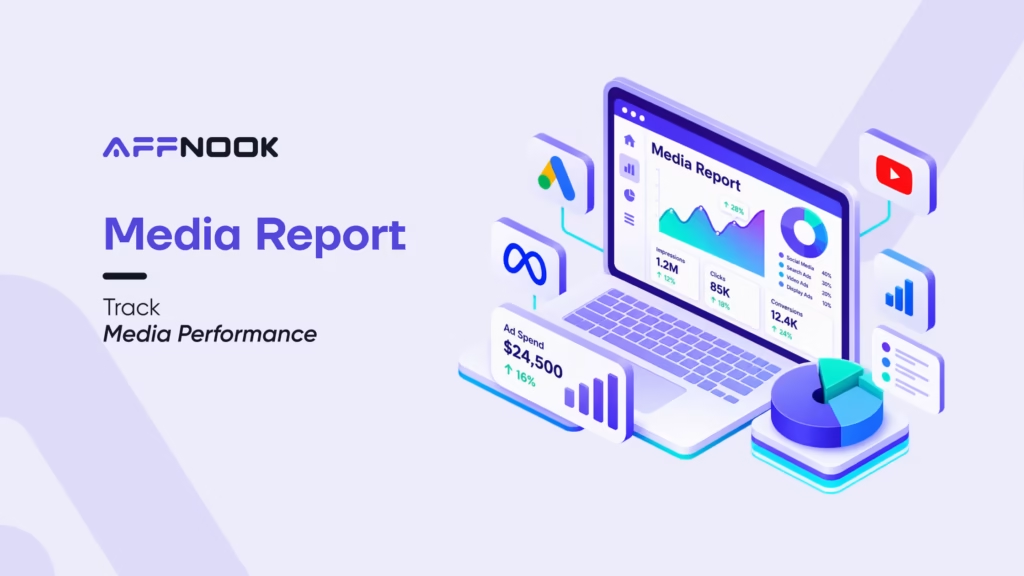
The Affnook media report offers in-depth performance insights, helping you analyze traffic, conversions, revenue, customers’ actions, and payouts relating to specific media placements to be analyzed.
What is a Media Report?
The media report offers a comprehensive understanding of the media impact on an individual media placement and creative basis.
Affnook’s media report gives detailed analysis of every media placement, creative, or source of traffic based on the result type, such as clicks, deposits, GGR, NGR, and payouts.
As an example, two ad copy sets running as gambling display ads may yield an equivalent number of clicks, yet one may lead to a higher number of registrations, deposits, and NGR. Media analysis enables you to discover all the discrepancies and evaluate performance outside of traffic.
Why Use a Media Report?
A media report helps iGaming affiliate managers evaluate media performance at a comprehensive level. Key benefits include:
- Analyze media performance: Understand how individual placements and creatives perform.
- Track revenue: Monitor GGR, NGR, and deposits from different media using an integrated iGaming affiliate management system.
- Measure traffic quality: Compare gross, valid, unique, and rejected clicks while maintaining strict traffic quality scoring.
- Evaluate customer activity: Track registrations, deposits, wagering, and active customers.
- Monitor payouts: Understand commissions associated with media performance.
- Optimize campaigns: Identify media sources and creatives generating stronger results to eliminate inefficient online gambling ad spend.
How to Access the Media Report?
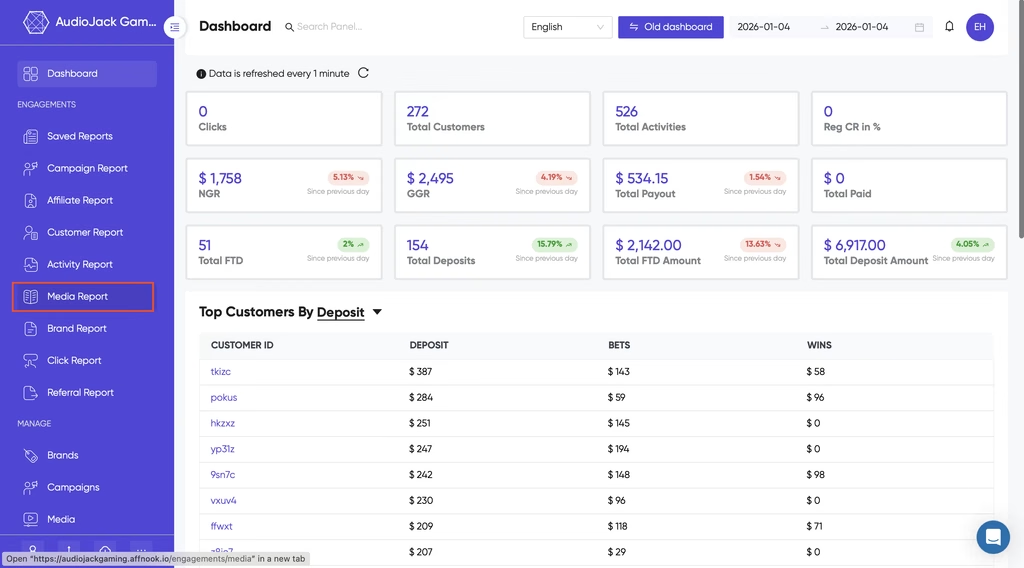
To access the media report:
Step 1: Log In to Your Dashboard
Sign in to your Affnook account and open the dashboard.
Step 2: Open the Media Report
Navigate to the media report from the dashboard.
The report displays available media performance data, which can then be filtered and grouped as required using advanced iGaming affiliate program software tools.
Understanding the Media Report
The report provides several attributes to evaluate media performance:
- Media Name: Shows the media placement or creative generating traffic.
- Payout: Shows the total commission payable.
- Gross Clicks: Displays total clicks, including duplicate and invalid clicks.
- Deposit: Shows the total amount deposited by customers from the media.
- GGR: Displays gross gaming revenue before deductions.
- NGR: Shows net gaming revenue after deductions such as bonuses, winnings, fees, and chargebacks.
How to Filter the Media Report?
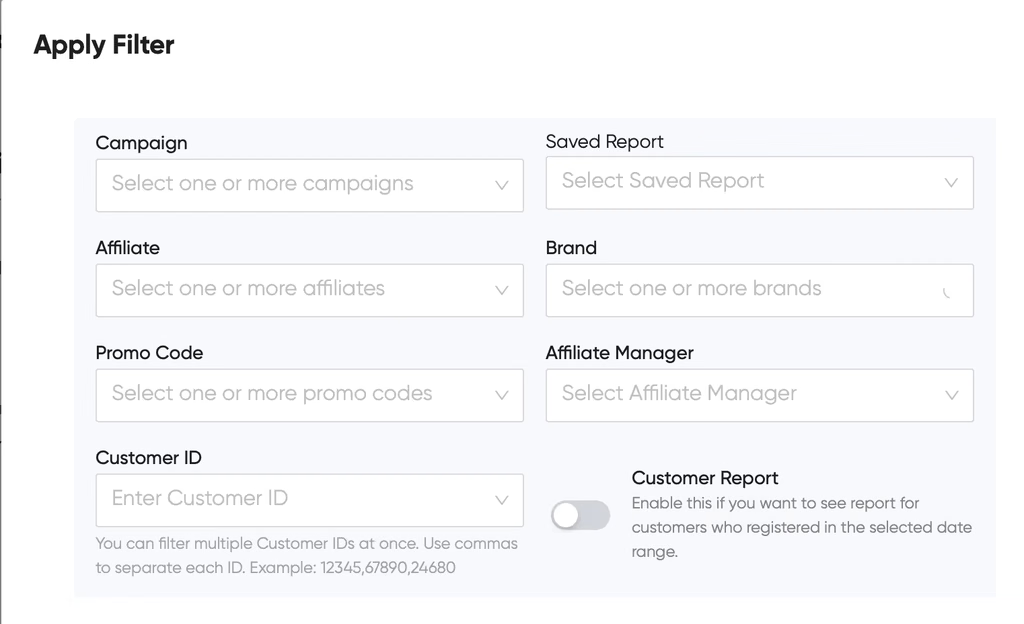
You can refine the report using several filters to analyze performance alongside your broader online gambling marketing strategy:
- Campaign: View media performance for selected campaigns.
- Saved Report: Apply previously saved filter settings.
- Affiliate: Analyze performance for specific iGaming affiliates.
- Brand: View performance at the brand level.
- Promo Code: Track performance from specific promotions or referral code campaigns.
- Affiliate Manager: View performance for affiliates managed by a selected manager.
- Customer ID: Analyze performance for specific customers.
- Customer Report: View data only for customers who registered within the selected date range.
How to Group Media Report Data?
With the grouping feature, you can categorize performance data based on campaign, partner, currency, brand, item, region, date of action, month, customers, origin, promo code, media title, area, and smartlink.
This gives affiliate managers the opportunity to analyze the performance of various campaigns, partners, locations, traffic sources, and media.
Which KPIs Can You Track?
The media report provides KPIs covering traffic, customers, revenue, deposits, and gaming activity. Tracking these affiliate marketing KPIs includes:
- Payouts: Total commission payable for the selected period.
- FTD: Customers who made their successful first-time deposit.
- NGR and GGR: Net and Gross Gaming Revenue.
- Deposits and Withdrawals: Total amounts deposited and withdrawn.
- Registrations: Total customer registrations.
- Registration Percentage: Percentage of clicks resulting in registrations.
- Gross Clicks: Total recorded clicks, including invalid and duplicate clicks.
- Clicks: Valid clicks after filtering invalid traffic.
- Rejected Clicks: Clicks rejected due to fraud or rule violations.
- Unique Clicks: Distinct users who clicked.
- Wagering Customers: Customers who placed at least one wager on sports or games of chance.
- Active Customers: Customers active during the selected period.
- Bets and Wins: Total amount wagered and winnings credited to customers.
Which Payouts Can You Track?
The report provides tracking for different commission payouts, allowing operators to effectively run a hybrid commission structure or single payout models:
- CPA Payout: Fixed commission for each qualifying conversion based on the CPA model in iGaming.
- CPA FTD Payout: Fixed payout when a customer completes their first successful deposit.
- CPA Registration Payout: Commission for each valid registration.
- CPA Deposit Payout: Commission for each qualifying deposit.
- CPA Cumulative Deposit Payout: Commission when cumulative deposits reach a defined amount.
- Rev-Share FTD Payout: Revenue-share commission based on first-time depositing customers.
- Rev-Share NGR Payout: Commission calculated via a standard revenue share model based on NGR.
- Rev-Share Deposit Payout: Revenue-share commission based on total deposits.
Wrapping Up
The media report provides iGaming affiliate managers with specific information about the performance of media ads, creatives, and traffic sources.
Through the analysis of clicks, registrations, deposits, customers, GGR, NGR, and payments, teams understand how efficient media is and find better-performing sources while protecting against online gambling fraud.
The use of filters and group-by options allows you to focus on different affiliates, campaigns, brands, customers, and media ads.
If you are interested in knowing more about your iGaming affiliate performance, book a free demo.