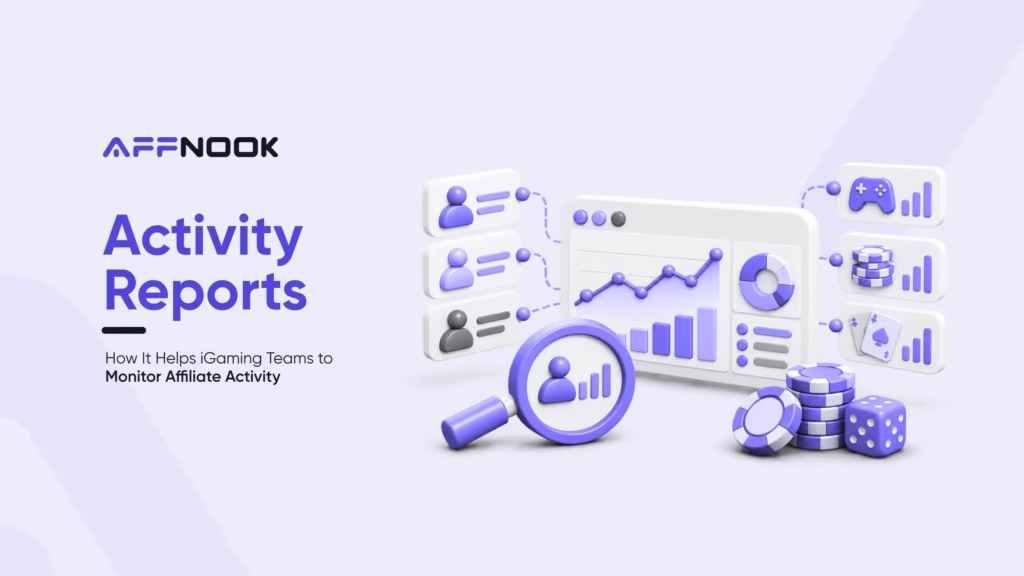
Managing an iGaming affiliate program requires more than tracking registrations and conversions. Operators and affiliate teams need visibility into individual customer activity, attribution details, transactions, and traffic sources to understand what is happening across campaigns.
This is where an activity report becomes useful. It provides an event-level view of customer activity, helping teams monitor tracked actions, verify attribution, troubleshoot tracking issues, and audit customer-level data.
What is an activity report?
An activity report gives an overview of user activity tracked across iGaming affiliate campaigns, including all of the actions customers take, like registration, deposit, betting, etc., along with attribution data that pertains to these activities.
For iGaming teams, it thus helps to achieve a more detailed understanding of performance metrics compared to standard metrics based on campaign or affiliate level.
Using the report, the teams could distinguish particular actions, analyze transactions, and see what affiliate, campaign, product, or tracking token corresponds with the customer’s behavior.
Why are activity reports important for iGaming affiliate programs
There can be many steps involved in affiliate performance from acquisition to revenue. Looking only at top-level conversion numbers may not provide enough information to identify where issues or opportunities exist. Instead, an activity report may help the teams in:
- Solving tracking issues. It would be helpful if tracking or attribution is in doubt to see what the customers have done.
- Verify postbacks. Check whether tracked activities and conversion events are being recorded correctly.
- Audit customer activity. Analyze the events and transaction history for a specific user.
- Analyze affiliate attribution. Identify the affiliate and campaign associated with specific activities.
- Investigate transactions. Use transaction IDs, customer IDs, and tracking tokens to locate specific records.
How to access the activity report in Affnook
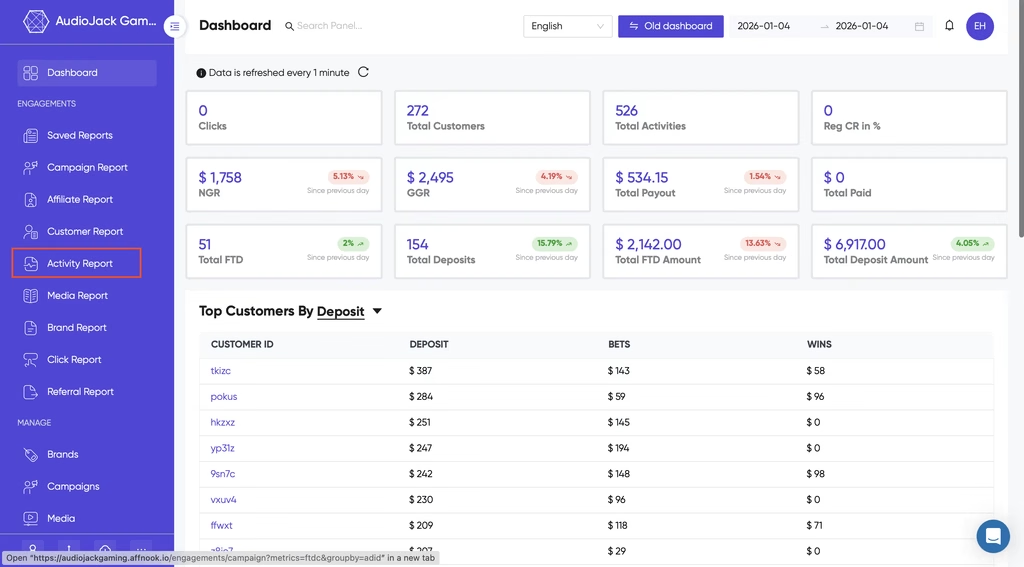
Accessing the report involves four basic steps:
- Log in to the Affnook dashboard.
- Navigate to the “Activity Report”.
- Select the required date range.
- Apply relevant filters and groupings.
Once the data is filtered, teams can focus on customer activities, transactions, affiliates, campaigns, or investigate potential bonus abuse fraud.
What data can an activity report show
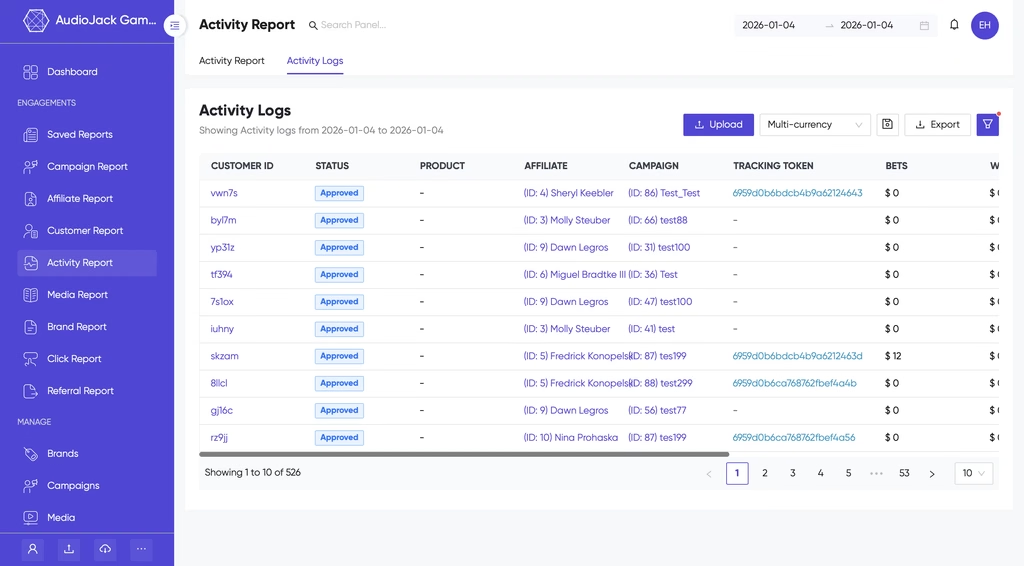
The activity report can be customized using different attributes depending on what the team needs to investigate. Key attributes include:
- Customer ID and transaction ID
- Customer or activity status
- Affiliate and campaign
- Product and brand
- Tracking token
- Promo code
- First-time deposit
- Deposits, bets, and wins
- Created date
- Country, region, and city
- Traffic source and media name
- Custom tracking parameters such as Sub1-Sub9
- Operating system, browser, and device
How to filter activity data
A large activity dataset becomes more useful when teams can narrow it down to the records they need.
Affnook allows users to apply filters such as country, brand, iGaming affiliate, campaign, promo code, product, source, transaction ID, affiliate manager, and customer ID. Teams can also view lifetime activity for selected customers or focus on customers who registered within a specific date range.
For example, an affiliate manager investigating a specific partner can filter the report by affiliate and campaign. A team checking a particular transaction can use the transaction ID, while customer-level investigations can be performed using the customer ID.
Which KPIs can teams monitor?
Teams can monitor various KPIs and indicators in the activity reports.
These incorporate tracking of tokens, status, rejection reason, transaction ID, currency, promo code, total bets, total winnings, first-time deposit, sum of all deposits made, bonuses, total amount withdrawn, and adjustments.
This makes the report useful whenever teams want to know not just whether the activity has happened or not.
Using range filters for transaction analysis
Teams may also need to investigate activities based on specific monetary or deposit ranges. Affnook provides range filters for:
- First-time deposits
- Deposits in USD
- Bets in USD
- Withdrawals in USD
- Wins in USD
- Bonuses in USD
Final thoughts
For iGaming affiliate teams, detailed activity-level visibility can make tracking and reporting easier to investigate. Instead of relying only on aggregated campaign numbers, teams can examine the customer, transaction, attribution, and financial information connected to individual activities.
With Affnook’s activity report, affiliate managers and operators can filter activity data, investigate tracking and postback issues, review customer-level activity, and analyze detailed campaign and affiliate information from a single reporting environment.
Want better visibility into your iGaming affiliate operations? Book a free demo to explore the platform.
You can also explore Affnook Synapse for the latest insights, trends, and updates from the iGaming affiliate industry.