What is a Tracking Pixel?
A pixel for tracking can be defined as an invisible image (which is usually 1×1 pixels in dimension) or as a small piece of code, which is placed in a webpage, email, or digital ad (to allow tracking of users). When a user visits that specific webpage, this pixel activates and sends a data packet about the visitor to the tracker without the user realising that any of this has taken place.
iGaming affiliate marketing uses these pixels on the most important pages:
- registration confirmation page,
- first deposit page,
- and the bonus claim page.
Each time a player completes one of these actions, the pixel fires, and the conversion is recorded.
What Data Does a Pixel Capture?
A tracking pixel captures data whenever users click on it. The data collected includes:
- The IP Address of the user — this helps with geographic iGaming compliance.
- Browser and device type — desktop or mobile, Chrome or Safari, what was used by the user?
- Timestamp of when the action took place.
- Referral source — which affiliate link or campaign drove the player
- Action completed — registration, FTD, QFTD, or bonus claim
What Makes It Different from a Link Click?
This is the key differentiation needed for accuracy in commissions, that a click on a link indicates that a player has shown interest, while a pixel firing indicates the player has converted. If there is no pixel firing from the operator’s side, there is no valid conversion, which also means there is no basis to issue a commission.
This is why these pixels go beyond technical implementation details. They are the means by which affiliate transactions are linked to affiliate payments.
How a Tracking Pixel Works in Practice
The mechanics are straightforward, but every step in the chain is important since a break at any step means that the conversion will not be captured.
The Step-by-Step Breakdown
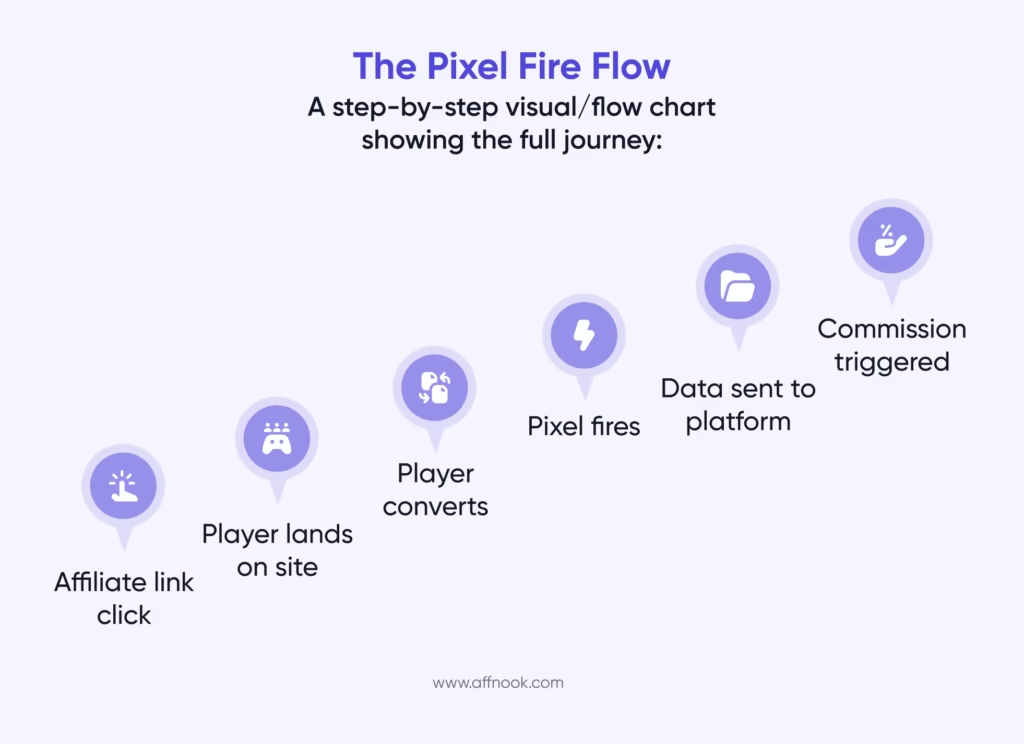
- Affiliate generates a tagged link — Each affiliate has a unique identifier, so the traffic can be traced back to that particular affiliate.
- Player clicks on the link — The player is redirected to either the operator’s online casino or sportsbook.
- Player performs a qualifying action — Player registers, makes a first deposit, or redeems a bonus.
- Pixel fires on the confirmation page — The 1×1 pixel graphic loads within the player’s browser without displaying anything.
- Data is sent to the tracking platform — The conversion is noted with a timestamp, source of referral, and type of action completed.
- Commission generated — CPA payments are triggered, or the player is placed into the affiliate’s revenue share pool.
Real-World Example
In the case of the promotion of the welcome bonus by the casino via the affiliate, the player clicks on the affiliate link on Monday and signs up on Wednesday, making his first deposit of €50. Upon the processing of the deposit, the pixel on the confirmation page of the deposit activates, recording the FTD and confirming that it qualifies as QFTD for a payout of €100 CPA.
None of the above gets attributed unless the pixel fires on the deposit confirmation page specifically. The player does convert, but the affiliate does not receive any credit for it.
Where Operators Place Pixels
By determining the placement of the pixels, you determine what gets tracked. The three most important pages are:
- Registration confirmation page — New player signups
- Deposit confirmation page — First-time deposit (FTD) and qualified first-time deposits (QFTD) for CPA triggers
- Bonus claim page — Bonus uptake for campaign-specific tracking
The most common error in tracking is placing pixels on the landing page instead of on the confirmation page, which tracks visits, not conversions and leads to commission disputes.
Types of Tracking Pixels in iGaming
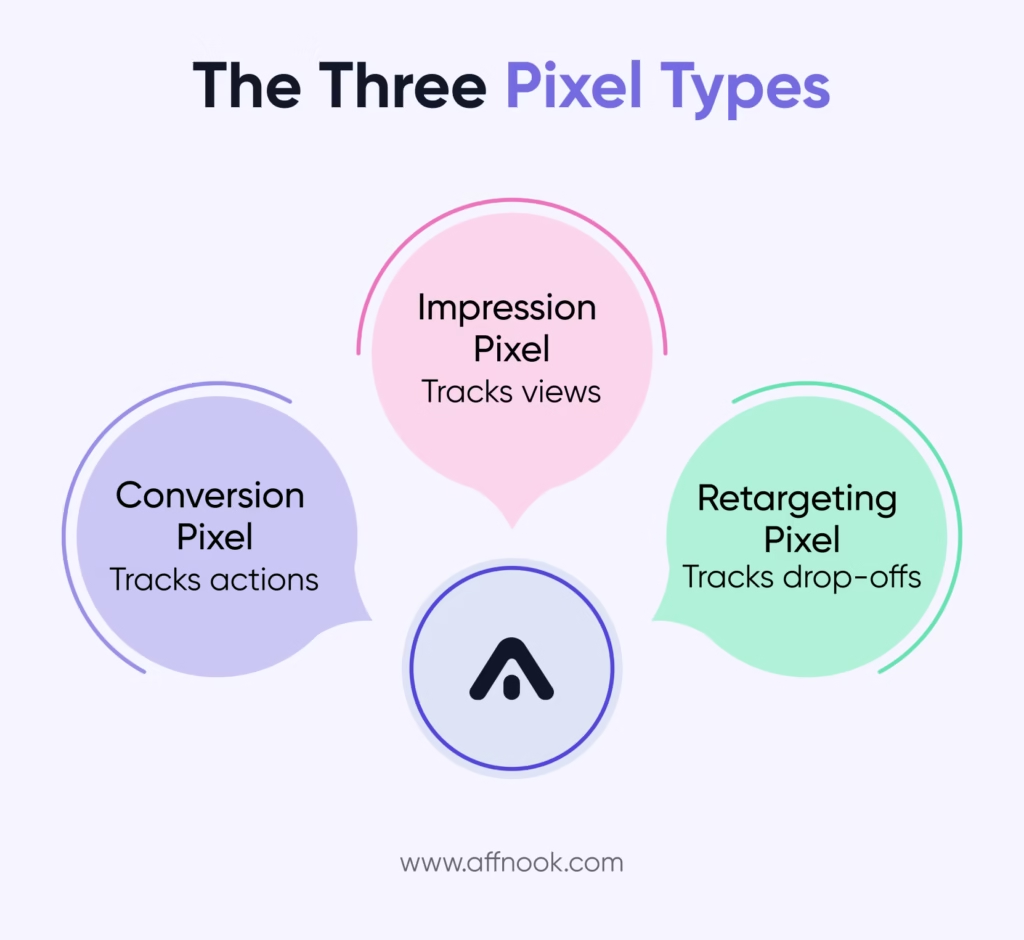
Different types of pixels are used in different ways in the iGaming industry. There are usually three types of pixels used in iGaming affiliate marketing, and each does something different.
Impression Pixel
Impression pixels fire every time a user sees the webpage or ad, regardless of whether there was a click or conversion.
Application: brand awareness campaigns, measuring ad reach
Shortcoming: informs about users who saw the creative, not the users who engaged with it
Conversion Pixel
Conversion pixel fires every time a player performs a specific action like registration, FTD or QFTD.
Application: affiliate payout triggers, confirms CPA based commission, adds player to revenue pool
Why it matters: directly connected to commission calculation
Retargeting Pixel
Fires when a player lands on your website and does not perform the desired action, enabling you to show ads to the player who has landed on your site.
Used for: retargeting of the players who landed on your site from the affiliate link but did not complete any action.
Common placement: Google display network, programmatic ad platforms
Tracking Pixels vs. Postback URLs
Both systems can track affiliate conversions – but they do it in a completely different way and for various purposes.
Tracking Pixel (Client-Side)
- Is triggered by the user’s web browser after the confirmation page is loaded
- Can be potentially blocked by ad-blockers or specific user privacy settings and even by Apple iOS restrictions on tracking
- Is easier to implement because it simply requires adding the script on the confirmation page
Postback URL (Server-to-Server)
- Is triggered by the operator’s server and delivered directly to the tracking system
- Cannot be blocked by any means because it does not require the user’s web browser to be active
- Is more complicated to implement because of its integration requirements on the database and server level
Which One Should Operators Use?
Postback URLs are the industry-wide standard for affiliate tracking in the iGaming space. If pixels are blocked, it may mean that your conversion doesn’t get recorded, and there’s a possibility that there will be a dispute regarding the commission. Pixels have their place in the display environment and for retargeting, but they’re not meant to be the primary method of attributing conversions.
In light of how major browsers have restricted third-party tracking, which Mozilla has identified as one of the measures that is being undertaken by the entire industry to steer away from cross-site cookies, client-side pixels have become less dependable as an attribution tool for iGaming operators.
Affnook is one example of a platform that provides another way of tracking conversions for affiliates through the server-to-server technique, with the added benefit of using pixels for their campaign display.
Why Tracking Pixels Matter for Operators and Affiliates
For Operators
- Prevent excessive commission payments through accurate attribution on untracked conversions
- Commission calculations utilise pixel data directly — FTD’s, QFTD’s, NGR’s, etc., all relate to accurate conversion data
- Identifies converting traffic sources to affiliate partners and the quality level of that traffic
For Affiliates
- Pixel confirmation of conversions is required for affiliation commission dispute resolutions
- Optimize campaigns based on creatives and landing pages that generate tracked conversions
- Real-time pixel activation (depending on tracking platform capabilities) enables faster payment cycle periods.
Final Thoughts
In iGaming, a tracking pixel is one tool in the attribution stack — useful for display campaigns and retargeting, but not the whole picture.
When dealing with iGaming affiliate marketing, conversion attribution tracking is done by server-to-server postback tracking and is much more reliable. You need to know how the two ways of tracking work, where they work best, and where they don’t work in order to keep accurate commission data and avoid disputes.
Help Section
What is a tracking pixel, and how does it work in iGaming affiliate marketing?
This is an invisible 1×1 pixel code snippet that triggers when a player takes an action such as registering for an account or depositing. This will send conversion information back to the affiliate tracking platform so that commission payouts can be confirmed and triggered.
What is the difference between a tracking pixel and a postback URL in affiliate tracking?
The pixels fire from a player’s browser and can be blocked by some privacy tools. However, a postback URL fires server-to-server and is more dependable for iGaming affiliate conversion tracking since accurate attribution will directly determine commissions to be paid out.
Why is my trackingpixel not firing, and how do I fix it?
The primary reason for pixel ineffectiveness is due to incorrect placement. If the pixel is being placed on a landing page, it will record visits, not conversions. Therefore, the pixel must be moved to either the deposit or registration confirmation page in order for it to be triggered only on a verified qualifying action.
How does a tracking pixel connect to CPA and RevShare commission calculations?
Once a pixel fires as the result of an eligible event, such as an FTD or QFTD, the pixel will record data necessary for calculating CPA commissions or adding players to affiliates’ revshare pools. Therefore, the accuracy of pixels is essential to accurate commission calculations.
Can these pixels be blocked by ad blockers in online casino affiliate campaigns?
While client-side pixels can be subject to ad blockers and browser privacy controls, iGaming operators who use affiliate programs should implement server-side postback tracking to ensure that they do not lose any conversions because of browser-level disruption.