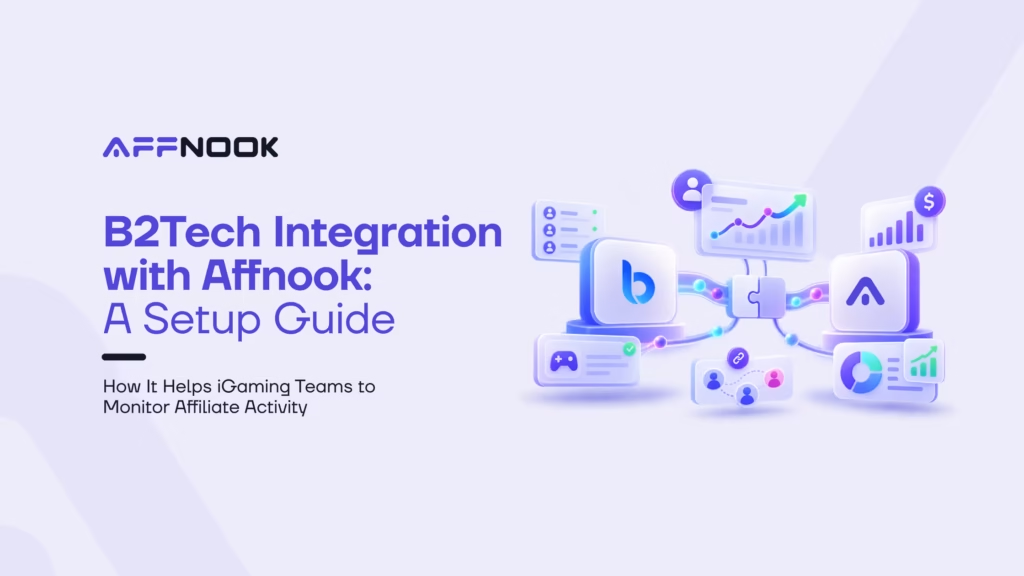
In iGaming, every affiliate iGaming campaign tells a story through different activities such as registrations, deposits, and gaming activity. But without a proper connection between the iGaming platform and the affiliate tracking system, it would be difficult to identify which partners generate profits.
B2Tech integration with Affnook fills this gap; it allows iGaming operations to optimize their tracking process, enhance affiliate attribution, and improve visibility over the effectiveness of their initiatives.
By integrating B2Tech with Affnook, operators can transfer the information related to the players’ activities and sales data directly to the Affiliate tracking system, eliminating the need for manual uploading of data and achieving consistency in data reporting.
In this article, you will learn how the integration of B2Tech works, how it can be set up in Affnook, and how the system tracks activity without Brand ID mapping.
What Is B2Tech Integration?
B2Tech integration is a server-to-server connection between the B2Tech gaming platform and Affnook’s affiliate tracking system. It allows supported player activity and revenue information to be sent directly to Affnook for affiliate attribution and reporting.
Instead of relying on manual data transfers, operators can use the integration to connect activity from their gaming platform with the affiliate campaigns managed in Affnook.
The integration supports the transfer of several types of data:
- Player registrations: Identify players acquired through affiliate campaigns.
- First-time and subsequent deposits: Track initial deposits (FTDs) and subsequent deposits (STDs).
- Bets and gaming activity: Monitor player activity generated after acquisition.
- Revenue and commissions: Support affiliate performance analysis and revenue reporting.
When this information is available in Affnook, operators can better understand how their affiliate partners contribute to player acquisition and campaign performance.
Why Do You Need B2Tech Integration?
Affiliate performance depends on more than counting clicks or registrations. Operators also need visibility into what happens after a player joins, including deposits, gaming activity, and revenue generation.
Without a connected data flow, teams may need to reconcile information across systems or rely on manual uploads. This can make reporting more time-consuming and complicate performance analysis.
B2Tech integration helps address these challenges in three ways:
1. More consistent affiliate attribution
Connecting player activity with Affnook helps operators associate incoming data with the relevant campaign and its affiliate performance.
2. Less manual data handling
Supported activity data can be transferred directly between the platforms, reducing the need for manual uploads.
3. Better performance visibility
Access to registration, deposit, gaming activity, and revenue data helps affiliate managers evaluate partner contributions beyond initial player acquisition.
The result is a more connected workflow for tracking and analysing affiliate campaign performance.
How to Configure B2Tech Integration in Affnook
Before starting, make sure you have access to your Affnook panel and the Secret Key and Brand ID for the relevant brand from your B2Tech panel.
Follow the steps below to configure the integration.
Step 1: Navigate to Integration Settings
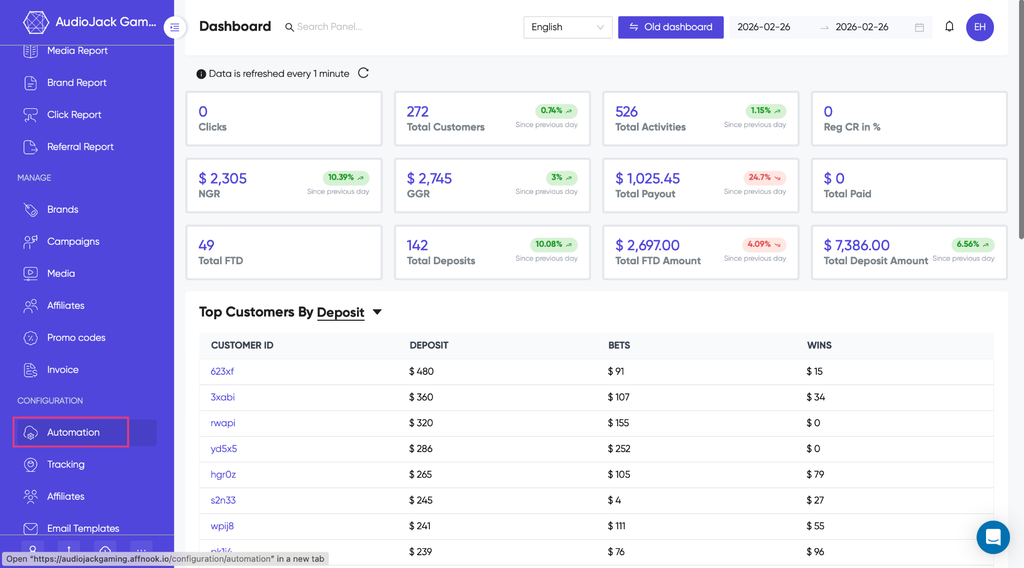
Log in to your Affnook dashboard and open the Automation section. Select the Integration tab to view the available integration options.
Find B2Tech Configuration and click the Config button to open its configuration settings.
This is where you’ll begin setting up the connection between B2Tech and Affnook.
Step 2: Enter Your B2Tech Credentials
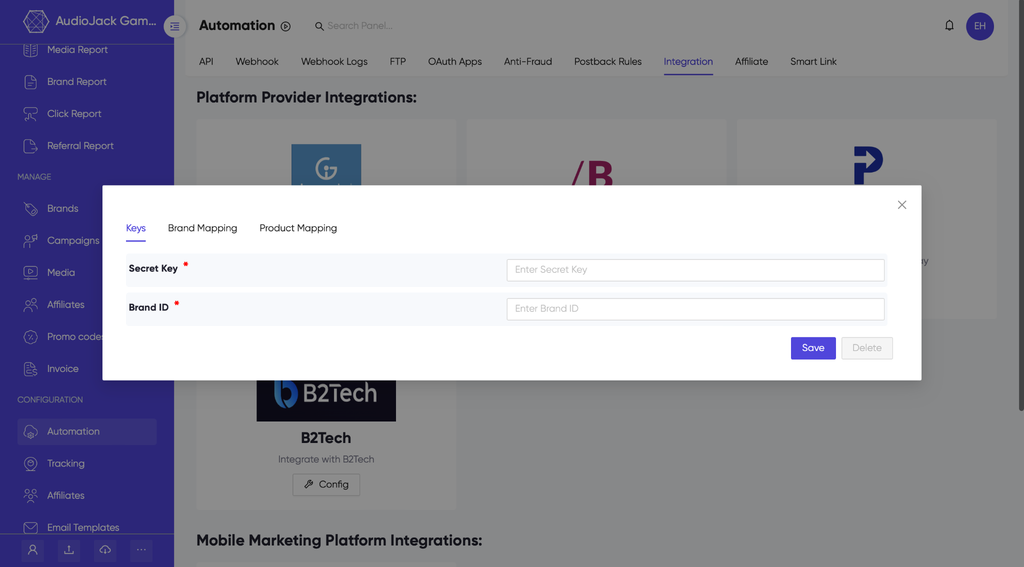
Next, enter the credentials obtained from your B2Tech panel for the specific brand you want to connect.
You’ll need two details:
- Secret Key: The credential required to establish the integration.
- Brand ID: The identifier of the brand being configured.
Use the credentials associated with the correct brand. Entering the wrong details can prevent you from configuring the intended connection correctly.
For security, keep your Secret Key confidential and avoid displaying actual credentials in screenshots or shared documentation.
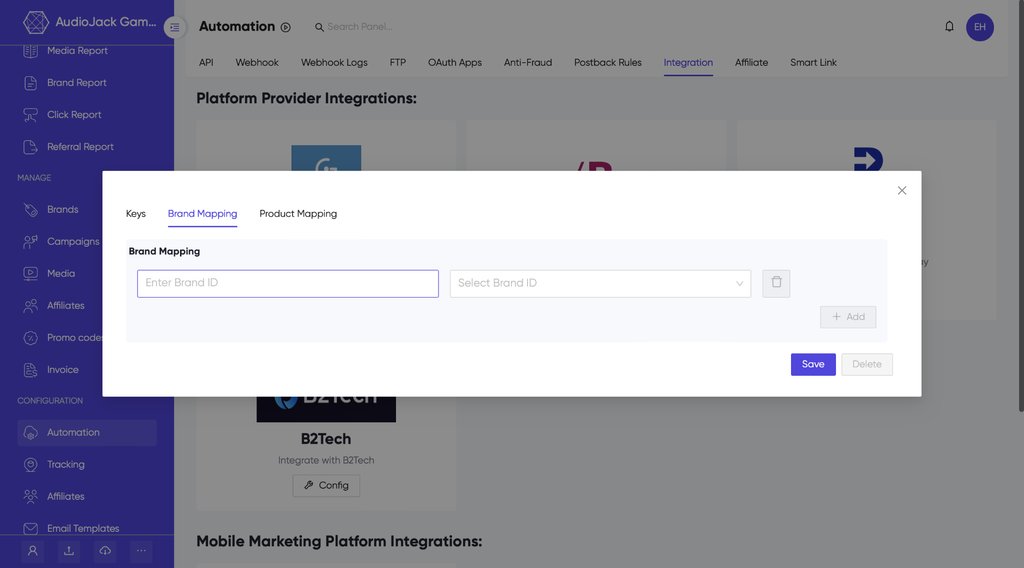
Step 3: Map Brand IDs
After entering the credentials, map the Brand ID from B2Tech to its corresponding Brand ID in Affnook.
Brand ID mapping helps the system identify which Affnook brand should be associated with incoming activity from B2Tech. This is particularly important for operators managing multiple brands, as each activity record needs to be associated with the appropriate brand.
For example, if a B2Tech brand corresponds to a particular brand in Affnook, configure the mapping between their respective IDs. This helps ensure that supported activity is attributed to the intended brand.
Review the mapping carefully to avoid incorrect brand associations in your reports.
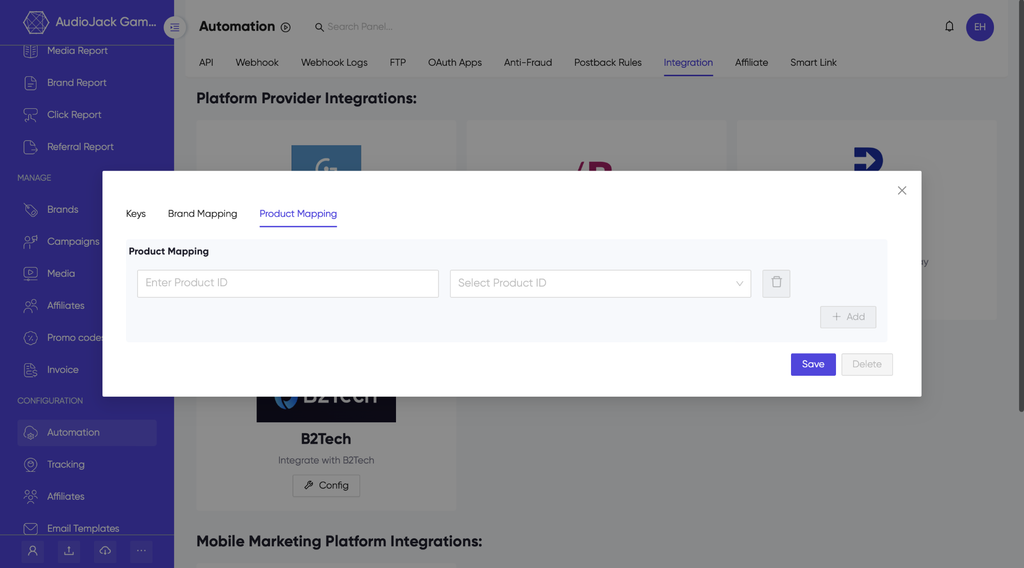
Step 4: Map Product IDs (Optional)
If your reporting requirements include product-level tracking, you can also map Product IDs from B2Tech to their corresponding Product IDs in Affnook.
This step is optional. However, when product-level identification is needed, the mapping helps associate incoming activity with the appropriate product for more detailed reporting.
For example, if a gaming product in B2Tech corresponds to a product configured in Affnook, you can map their IDs to maintain the intended association.
Whether you need this step depends on your tracking and reporting requirements.
What Happens If a Brand ID Is Not Mapped?
Brand ID mapping is an important part of the configuration, but what happens if activity arrives with a Brand ID that hasn’t been added to the integration?
According to the integration’s fallback logic, an unmapped Brand ID cannot be passed through to the Affnook API as that original ID. Instead, it is sent as empty. For an operator account, the API can then use the brand associated with the campaign as a fallback.
This helps prevent activity from being lost solely because the incoming Brand ID wasn’t mapped.
Example: Handling an Unmapped Brand ID
Suppose Affnook receives an activity record with the following details:
| Field | Example value |
| Player ID | 123456 |
| Transaction ID | 78901234 |
| Incoming Brand ID | 999 (unmapped) |
| Campaign ID | 55 (Example Campaign) |
| Campaign-associated Brand ID | 10 (Example Brand) |
Because Brand ID 999 isn’t configured in the integration, the Brand ID is sent as empty to the Affnook API.
Since this is an operator account, the API applies its fallback logic and associates the activity with the brand linked to Campaign ID 55. In this example, that brand is Brand ID 10.
Consequently, the activity appears under Brand ID 10 rather than the unmapped Brand ID 999.
Important: This fallback behaviour applies to the operator-account scenario described in the integration documentation. It shouldn’t replace proper Brand ID mapping. Configure the correct mappings wherever possible to maintain accurate brand attribution.
Final Thoughts
B2Tech integration connects supported player activity and revenue data from B2Tech with Affnook’s affiliate tracking system. It helps operators reduce manual data handling, improve visibility into affiliate campaign performance, and maintain a more connected reporting workflow.
To get started, configure the B2Tech credentials, map the relevant Brand IDs, and add Product ID mappings if your reporting needs require them. Pay particular attention to brand mapping, as it determines how incoming activity is associated with the brands managed in Affnook.